Getting students in on the first day
Your students have no password and no email address. They get into LinoClass by scanning one QR code, the class one, then tapping their name. A code stays valid for the whole school year.
Generate the class QR code
- Open the "Class QR code" page.
- Tap "Generate QR code".
- Tap "Print poster" to get the printable poster for the wall.
The poster carries the three instructions students follow on their own: "Open the tablet's camera", "Point at the QR code", "Choose your name!".
Put the poster at the eye level of a six year old, near the tablets. Most of the help requests in September come from a poster hung too high.
What the student sees
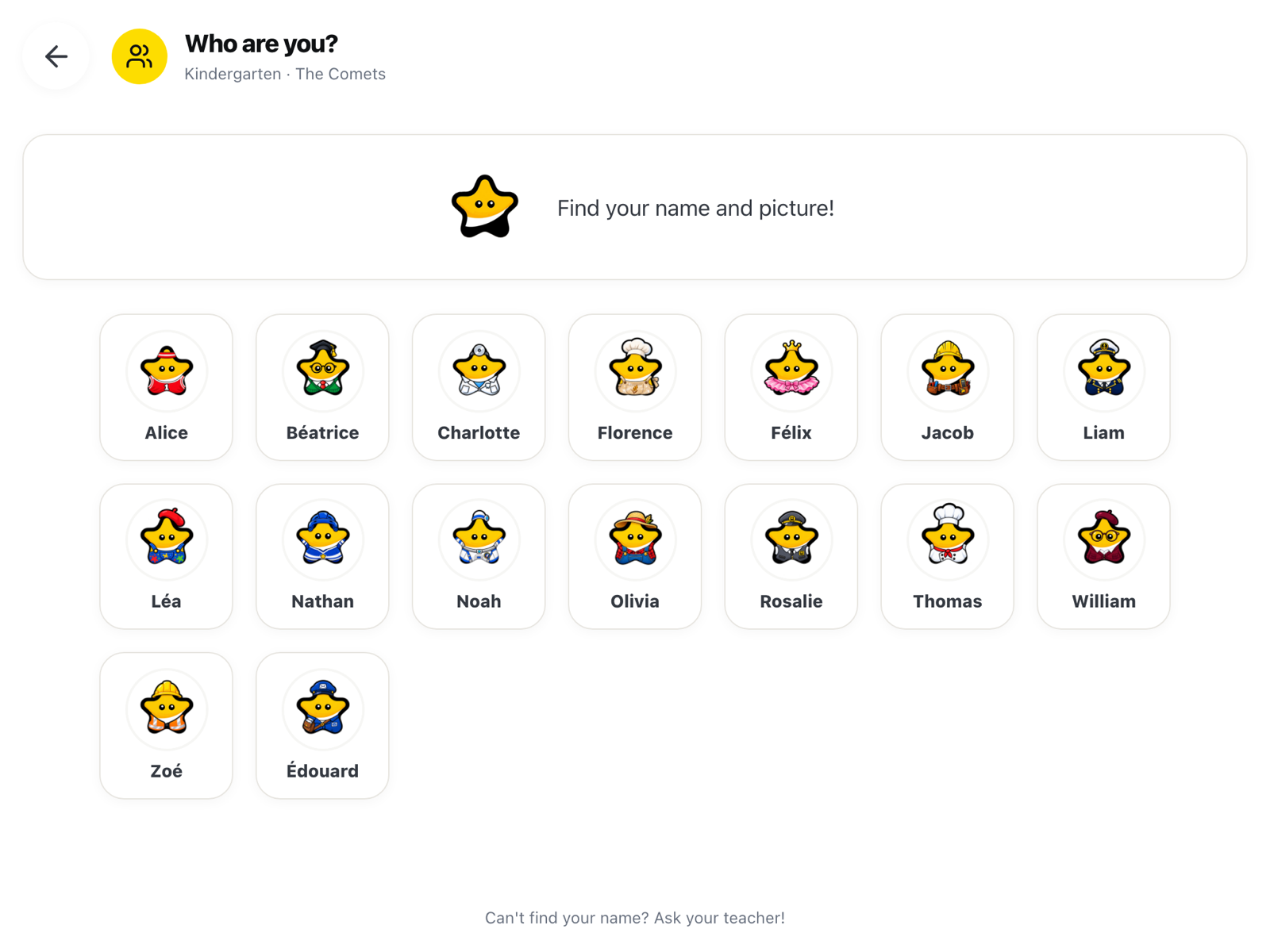
The student opens the tablet's camera, points it at the code, then taps their name in the list. There is nothing to type. Their session lasts eight hours, so it covers the school day and closes itself in the evening.
School hours
The QR code only works during your school's hours. LinoClass says so on the page: "This QR code allows students to log in only during school hours". Outside those hours, scanning does nothing.
This is the most common reason a code appears broken: it was tested in the evening, at home, before the school year started. Try again during the day before concluding the code is at fault.
When the code stops working
If the page shows "Code expired" or "No active QR code", generate a new one.
If you need to invalidate the current code, for instance because the poster left the school, tap "Regenerate". LinoClass tells you what that means: "The old code will be invalidated immediately. You will need to reprint the poster with the new code." The old poster stops working right away, so reprint before the next period.
Frequently asked questions
How long does a code stay valid?
One year. The page shows the exact date under "Code valid until".
Does each student need their own code?
No. One code for the class. Students tell themselves apart by tapping their name after the scan.
Can a student sign in from home?
Only during the school hours set for your school. The code is meant for classroom tablets.