What the student sees under "My points"
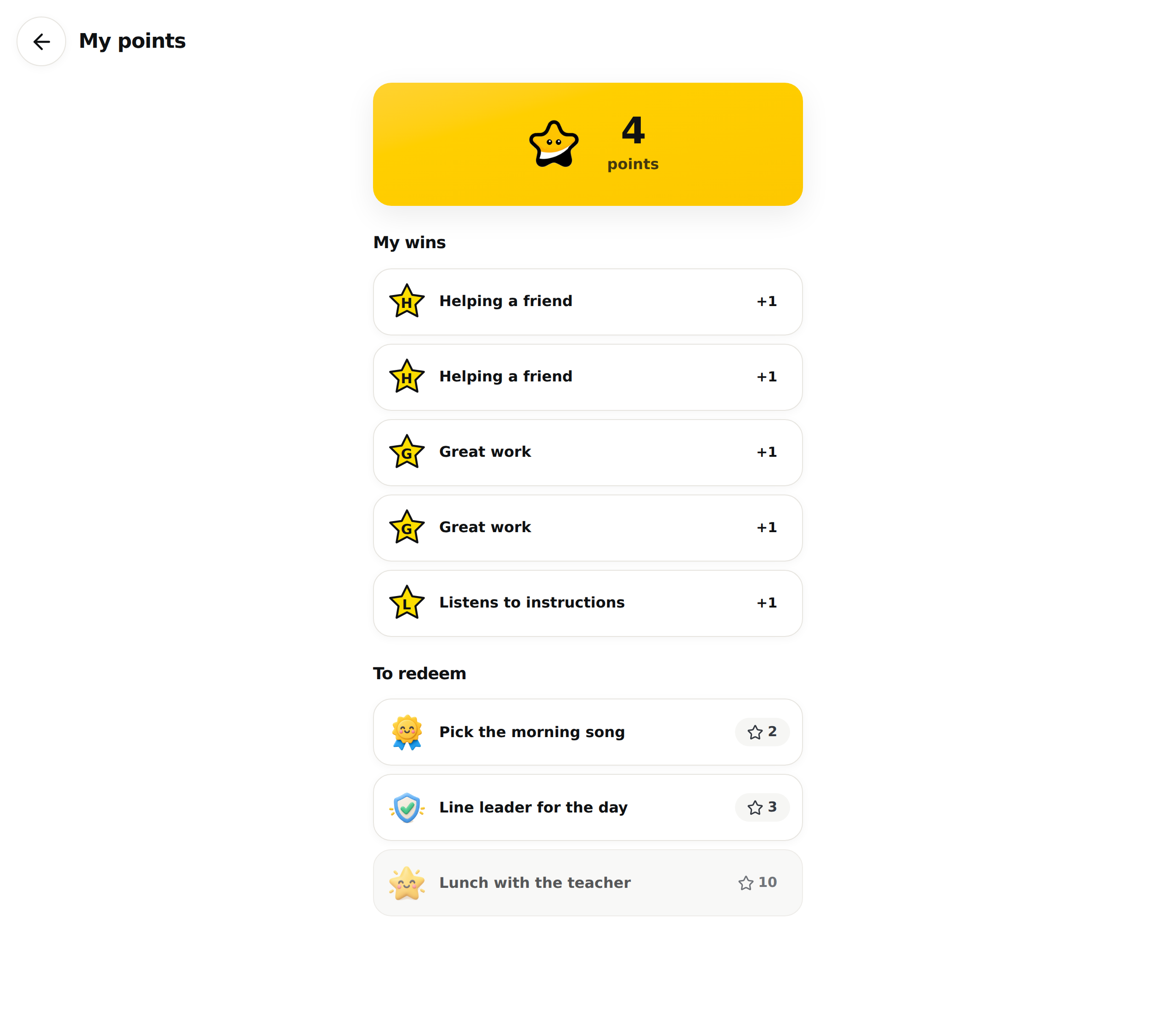
On the tablet, the student has a "My points" page. It shows their total, the challenges they earned, what their points can buy and what they have already traded. The student cannot redeem from this page. The exchange happens on your screen.
Where to find it
On their home page, the student taps the "My points" row, with the line "Wins and rewards" under it. The "Back" arrow, at the top left, returns to the home page.
If the school turned points off, the row is not there. A student who arrives by an old link reads "Points are not turned on at your school."
What the page shows
At the top, a large yellow box carries their total and the word "points". It is the same number as the bubble on their card, on your side.
Under "My wins", every positive challenge received makes a line: the challenge's sticker, its name and its value, for example +1. Until they receive one, the page says "Your wins will show up here. Keep up the great work!"
Under "To redeem", they see your privileges with their cost, a star and a number. A privilege they cannot afford yet is greyed out. This block only appears when the classroom has at least one privilege.
Under "My trades", they find every privilege already obtained, with the points spent. This block only appears after a first trade.
What the student does not see
- A challenge with a negative value. It weighs on their total, but it makes no line under "My wins".
- The retraction of a point taken back with "Undo". The challenge line stays under "My wins", even though their total no longer counts it.
- Other students' points. The page only shows their own.
- Anything before a reset. After "Reset to zero", their lists start over from that moment. An undone reset gives the lists back.
A sticker stays on its line even if you removed or changed the challenge since: every point keeps the badge from the day it was given.
Frequently asked questions
The student says their points are not going up.
Ask them to go back to the home page and reopen "My points": the page loads when it opens. Then check on your "Points" page that the bubble on their card did change. If the green bar did not appear on your side, the points were not given.
Can the student redeem their points on their own?
No. They see the privileges and their cost under "To redeem", and you make the exchange from "Redeem" on your "Points" page. The page Redeem a student's points for a privilege covers it.
The page is empty even though points were given.
If the page could not load, it shows a total of 0 and the line "Your wins will show up here. Keep up the great work!". Check the tablet's connection, then reopen the page.