Switching from one student to the next on a shared tablet
A classroom tablet changes hands all day. You scan the poster once in the morning. After that, each child ends their turn with "I'm done", and the next one taps their name. Nobody rescans the poster between two students.
End a student's turn
- On the student's home screen, tap "I'm done", at the top right. On a phone, the button is a yellow circle with a hand and no text.
- LinoClass ends the child's session and goes back to "Who are you?", with the class name under it, the bubble "Find your name and picture!" and the grid of names.
- The next student taps their name. They land on their home screen.
The button only exists on the student's home screen. From "My portfolio" or "My activities", the arrow at the top left goes back to the home screen first. The page What the student sees in their portfolio on the tablet describes that screen.
The session of the child who just left is closed. The next child cannot open their pages.
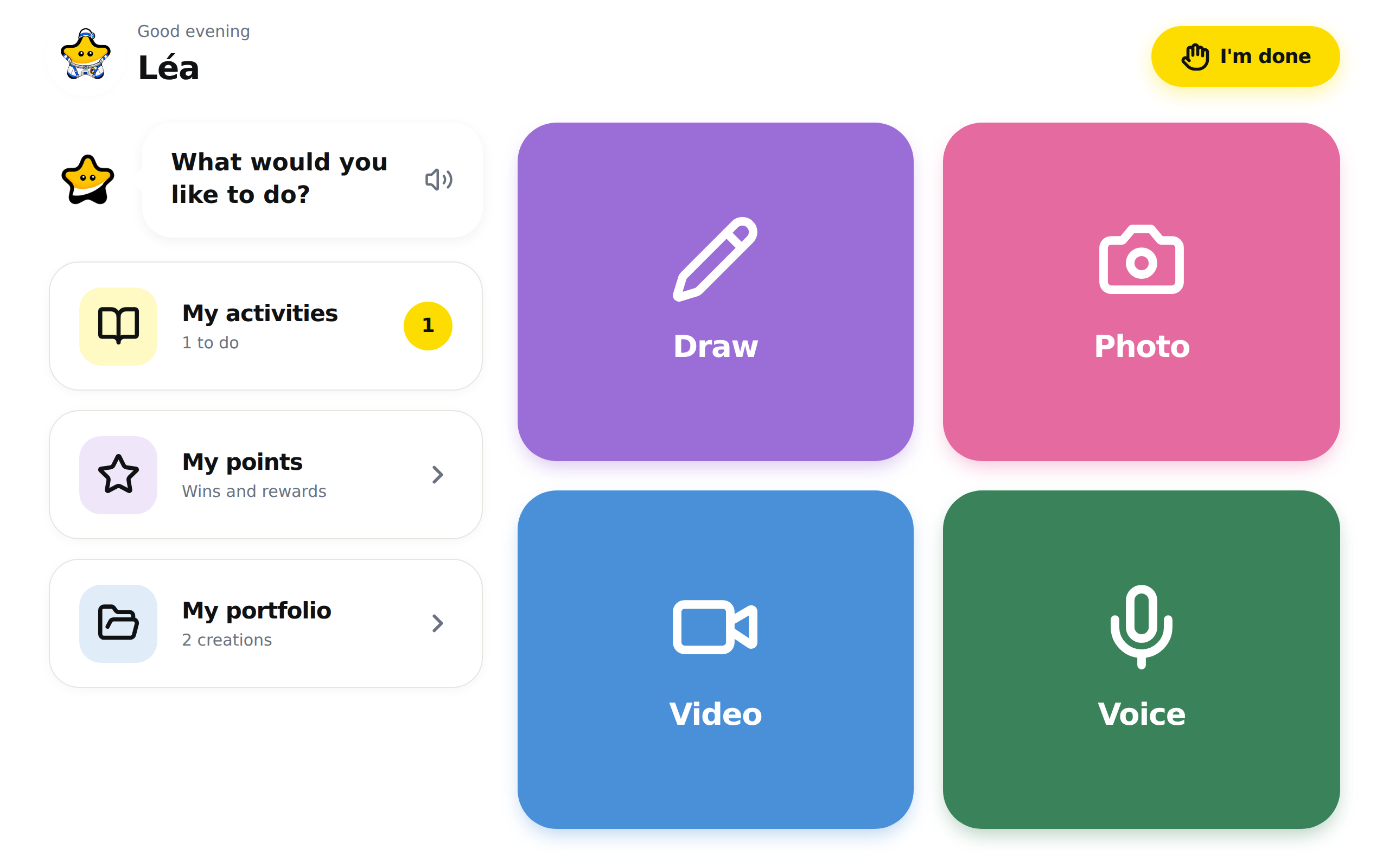
In the LinoClass app installed on the tablet, the button to finish has a different name, but it does the same thing: it goes back to the list of names for the class.
When the student forgets to tap "I'm done"
On the student's home screen, "My portfolio" and "My activities", after nine minutes without a touch on the screen, the "Are you still there?" dialog opens. When LinoClass knows the first name, the question becomes "{name}, are you still there?", and the child's first name replaces {name}. The dialog says "You haven't done anything for a while.", then "Logging out in {seconds} seconds". The count starts at 60 and goes down every second inside a circle.
- "I'm here!" closes the dialog. The student carries on where they were.
- "I'm done" ends the session right away.
With no answer, at zero, LinoClass ends the session and goes back to "Who are you?". The timer restarts with every touch on the screen.
At 4 PM, a tablet still open on the student's home screen, "My portfolio" or "My activities" ends the session on its own, with no dialog, and goes back to "Who are you?". The drawing canvas, the capture screen and the points page have no timer and no 4 PM logout. A tablet left on a drawing stays open.
A student's session lasts two hours from the moment they tap their name. After two hours the tablet goes back to "Scan QR code"; scan the poster again.
When the tablet goes back to the scanner
The morning scan gives the tablet a class session of ten hours. A tablet scanned at 8 AM keeps its class until 6 PM. The next morning, the poster has to be scanned again.
Once that class session is over, "I'm done" leads to "Scan QR code", with the sentence "Point the camera at your classroom's QR code". A band at the top of the page may also say "Your session has expired. Please log in again.". Scan the poster. The list of names comes back.
If the scan answers "The school is asleep right now", you are outside your school's hours. The page Getting students in on the first day explains those hours.
A student who signed in with a home QR code, the one their parent generated, has no list of names. For them, "I'm done" always goes back to the scanner. That code belongs to one child.
On "Who are you?", the "Back" arrow at the top left goes to the scanner. A student who taps it by mistake has to scan the poster to get the list back.
When the list of names does not load
If the grid stays empty and Lino shows "Error loading", the list could not load. Check the wifi, then tap "Retry".
If the page says "No students in this classroom", the class has no students yet. The page Add and manage the students in your class explains how to add them.
If a child cannot find their name, read the class name under "Who are you?". A tablet scanned in another room shows that other class's list. The bottom of the page tells the child so: "Can't find your name? Ask your teacher!". Tap "Back", then scan your poster.
If a message shows after the child taps their name, tap "Retry". The list reloads and the child taps their name again.
Frequently asked questions
Does the poster have to be rescanned for every student?
No. One scan per tablet in the morning. After that, "I'm done" goes back to the list of names, and the next child taps theirs.
The "I'm done" button is not on the screen.
It is only on the student's home screen. On the other screens, tap the arrow at the top left to go back home. On a phone, the button is a yellow circle with a hand and no text.
The student put the tablet down without tapping "I'm done".
On the student's home screen, "My portfolio" or "My activities", their session closes on its own ten minutes after their last touch, with the "Are you still there?" dialog, or at 4 PM if the page stayed open. A tablet left on a drawing stays open. To close the session right away, pick up the tablet and tap "I'm done" on their home screen.
The tablet asks for a scan even though it was scanned this morning.
The class session lasts ten hours. If the scan is more than ten hours old, or the tablet was scanned yesterday, scan the poster again. A student's session lasts two hours: after two hours the tablet goes back to "Scan QR code"; scan the poster again. If the scan is recent and the scanner still comes back, a student may have tapped "Back" on "Who are you?". A scan fixes all three cases.