Follow a student's portfolio through the year
A student's page gathers everything in their portfolio, grouped by week. You open it from "My students" by tapping the child's card. "Back to students" returns you to the list.
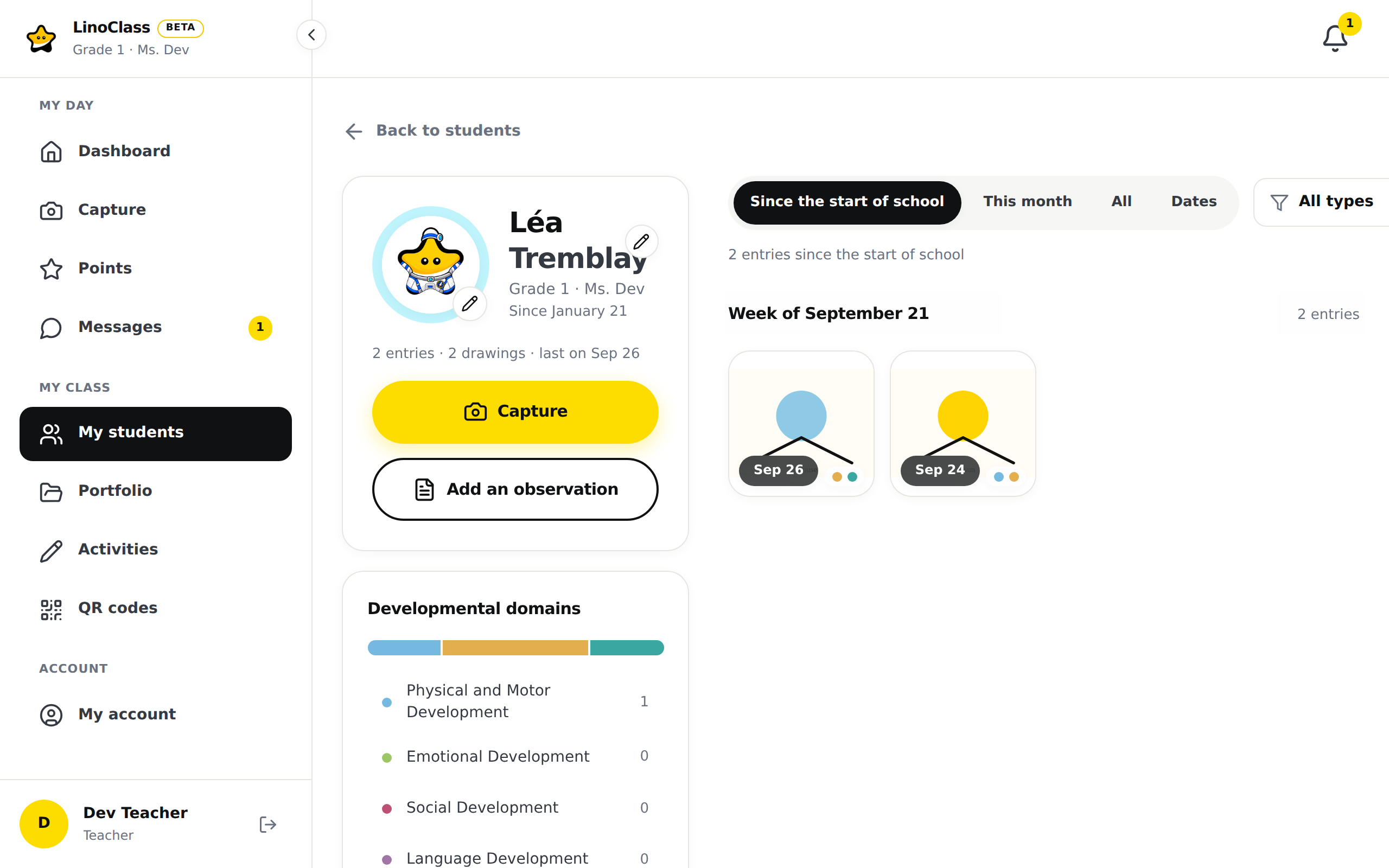
What the page shows
On a computer, the page has two columns. On the left, the child's card, with their avatar, name, class, the date they joined ("Since") and a line of numbers: how many entries, then the count of each type present (photos, drawings, videos, audio, observations) and the date of the last addition. "Capture" opens the Capture page with the child already selected; "Add an observation" opens the form over the page.
Under the card, the "Developmental domains" card shows one coloured bar. Each colour is a domain, and its width follows the number of entries tagged with that domain in the chosen period. The legend under the bar names each domain with its count. This card only appears when the class has domains. The page Tag work with the developmental domains explains how to turn them on.
On the right, a line of filters, then the work by week. Each group starts with "Week of" and its date. Written observations are text tiles between the photos. The "Load more" button at the bottom continues the current week or moves to the next one.
On a phone, everything fits in one column. The domains card shows only the bar. Tap "See by domain" to open the legend, "Hide the domains" to fold it.
Filter what you see
The page opens on "Since the start of school". The other period choices are "This month", "All" and "Dates". With "Dates", two fields "From" and "To" appear.
The "All types" menu, at the right of the filter line, offers "Photo", "Drawing", "Video", "Audio" or "Note". Choose one to keep one type.
The domains legend is a filter too. Tap a domain to keep only the entries that carry it. Tap a second one to add it. "Show all" removes that filter.
The result line under the filters counts the entries and names the active filters. "Clear" resets the page to "Since the start of school", all types, all domains.
When the page is empty
A child who has just arrived gets a message with their name and "One photo, drawing or observation, and the first week appears." The two buttons "Capture" and "Add an observation" sit right under it.
"No entries for these filters" means the child has work, but none of it matches the period, the type or the domains you chose. Tap "Clear the filters". If no filter was active, that button widens the period to "All": the child's work is from before the start of school.
Frequently asked questions
The domains bar does not move when the type changes.
That is expected. The bar counts the entries of the chosen period, every type together. The type only filters the list of work.
Where are the per-type numbers on the child's card?
LinoClass withholds them while they could mislead: when a domain is selected, or while work is still to be loaded. The total of entries always stays on screen.
Can a piece of work be opened from this page?
Yes. Tap a tile. The work's page is the same as from "Portfolios". Its "Back" button leads to the "Portfolios" grid, not to the student's page. To reach the student's page again, open "My students" and tap the card.