Switch from one child to another, for parents
This page is for parents. Each child has their own space in LinoClass: their feed, their portfolio, their messages. With two children or more, you move from one to the other from the child's card, without going back through the sign-in link.
Pick a child when you arrive
With a single child, LinoClass opens their "Home" directly.
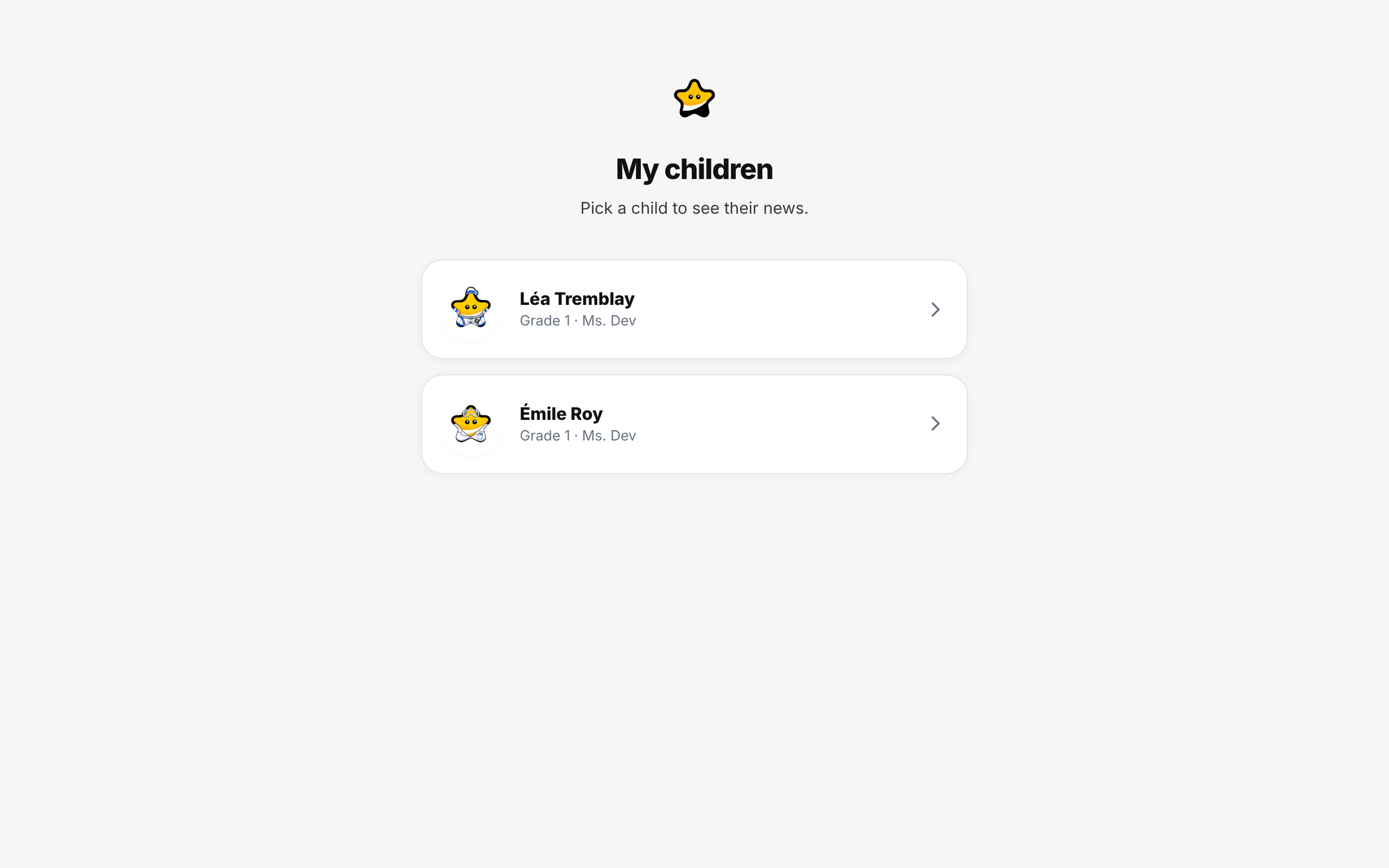
With several children, LinoClass first opens the "My children" page, with the line "Pick a child to see their news." Each child is a row: their avatar, or their initials on their colour, their name and their class. Tap the row to open their space.
Switch to another child
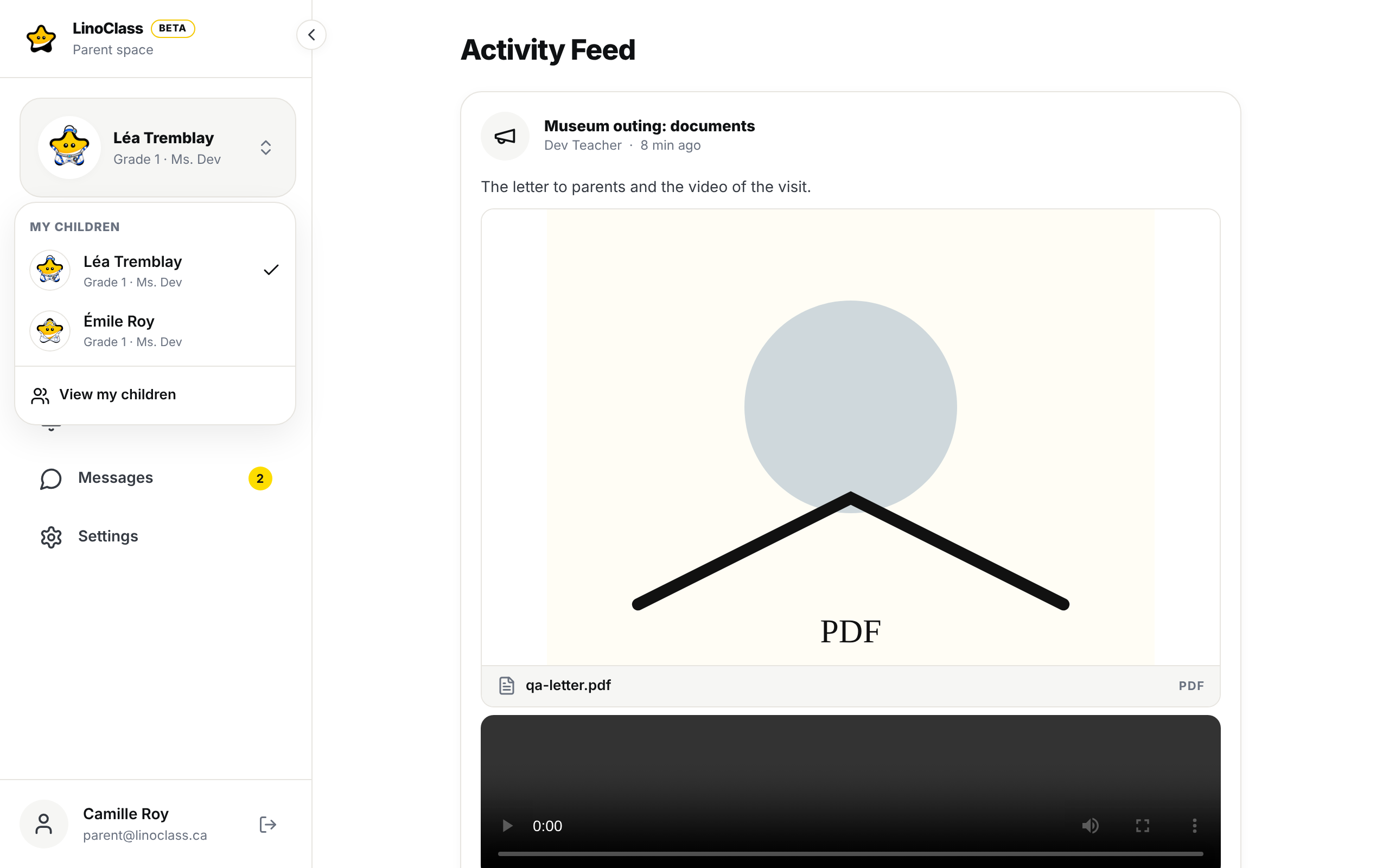
On a computer, the child's card sits at the top of the left menu, under "Parent space": their avatar, their name and their class. On a phone, their avatar and name sit in the centre of the top bar, and the same card is in the menu that opens with "Open menu". A small double chevron, on the right, tells you the card opens.
- Tap the child's card, or their name in the top bar.
- A menu opens under the heading "My children". Each child is there with their avatar and class, and a check mark sits on the one whose space you are looking at.
- Tap a child. Their "Home" opens.
The last entry of the menu, "View my children", takes you back to the "My children" page.
With a single child, the card stays a plain card, with no chevron. Nothing opens when you tap it, and that is normal.
The same avatar and name follow the child on every one of their pages, "Home", "Weeks", "Portfolio", "Messages", "Notifications" and "Settings".
When a form opens instead of the feed
Each child has their own "Consent form". If you pick a child you have not answered for yet, LinoClass opens their form before their feed. Answer it, even if you refuse every permission. The child's space opens next, and the form does not come back for that child.
Frequently asked questions
The child's name does not open.
The menu exists only from two children up. With a single child, the card and the name are plain text. If you do have two children in LinoClass and nothing opens, the list has not arrived yet: wait a moment, or reload the page.
One of the children is missing from the menu.
The menu shows the children linked to your account. A missing child has not been linked yet. Ask their teacher for an invitation sent to the email of your current account; if the link was sent to another address, LinoClass says so and offers "Switch account".
Who picks the child's avatar?
The teacher picks the avatar from the pencil on the child's portrait, in the student's page.